How to play Color Memory
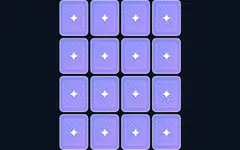
The colour wheel plays a sequence of glowing pads, each with its own musical tone. Repeat the sequence by pressing the same pads in the same order. Every round adds one more step and the playback gets faster. How far can you go?
Controls
- Tap or click the pads.
- Keyboard: keys 1–4 (or 1–6 in 6-pad mode) — or Q W A S for the four pads in order. Press Space or Enter to start.
Modes
- 4 pads is the classic game; 6 pads is much harder to remember.
- Relaxed: a mistake replays the sequence and you try again (you have 3 lives).
- Strict: one mistake and the game is over.
Your best round is saved separately for every mode.
Tips
Hum the tones along with the lights, and group the sequence into chunks of three or four — it is much easier to remember "red-blue-red, green-green" than ten single colours.
About this color memory game
Watch the colour sequence and repeat it. How long can you go? Play Color Memory free in your browser on desktop, tablet or phone. It works offline once loaded — perfect for travel. Your progress and best scores are saved on your device. Popular searches: pattern memory game.
Color Memory FAQ
Is Color Memory free to play?
Yes. Color Memory is completely free on GamesVora. There is nothing to download or install and you don't need an account.
Can I play Color Memory offline?
Yes. Once you have opened GamesVora while online, Color Memory is saved on your device and you can keep playing without an internet connection.
Does Color Memory work on mobile phones and tablets?
Yes. Color Memory works in any modern browser on Android phones, iPhones, iPads, tablets, laptops and desktop computers, with touch, mouse and keyboard controls.
Is my progress saved?
Your settings, best scores and statistics are saved in your browser on this device. Clearing your browser data will reset them.
What other games are like Color Memory?
If you enjoy Color Memory, try the other games in our Brain & Math collection — they are all free and work offline too.