How to play Calc Grid
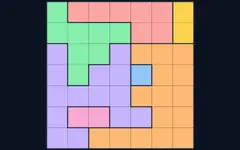
Fill the grid so every row and column contains each number from 1 to the grid size exactly once. The grid is split into outlined cages; the small label in a cage's corner gives a target and an operation. The numbers in the cage must produce the target using that operation, in any order.
- + add them all, × multiply them all.
- − and ÷ cages always have two squares: the larger minus (or divided by) the smaller.
- A cage with just a number and one square is a free gift — write that number in.
- Numbers can repeat inside a cage as long as they're not in the same row or column.
Controls
Tap a square (or use the arrow keys) and enter a number with the keypad or keyboard. Use Notes (✎ / N / Shift+digit) for candidates, plus Undo/Redo, Hint, Check and Pause. Cage labels turn green when satisfied and red when broken. Sizes 4×4 to 7×7; every puzzle has exactly one solution.
About this math grid puzzle
Fill a Latin square where cages hit their arithmetic targets. Play Calc Grid free in your browser on desktop, tablet or phone. It works offline once loaded — perfect for travel. Your progress and best scores are saved on your device. Popular searches: arithmetic cage puzzle.
Calc Grid FAQ
Is Calc Grid free to play?
Yes. Calc Grid is completely free on GamesVora. There is nothing to download or install and you don't need an account.
Can I play Calc Grid offline?
Yes. Once you have opened GamesVora while online, Calc Grid is saved on your device and you can keep playing without an internet connection.
Does Calc Grid work on mobile phones and tablets?
Yes. Calc Grid works in any modern browser on Android phones, iPhones, iPads, tablets, laptops and desktop computers, with touch, mouse and keyboard controls.
Is my progress saved?
Your settings, best scores and statistics are saved in your browser on this device. Clearing your browser data will reset them.
What other games are like Calc Grid?
If you enjoy Calc Grid, try the other games in our Logic Puzzles collection — they are all free and work offline too.